How it works
HeyManager is a place to practise workplace conversations out loud, with an AI playing the other person. This page shows what happens when you press start, what you see afterwards, and what builds up over time. The screens are from the app itself. We borrowed the app's names from sport, where you practise before the game and review how you played afterwards.
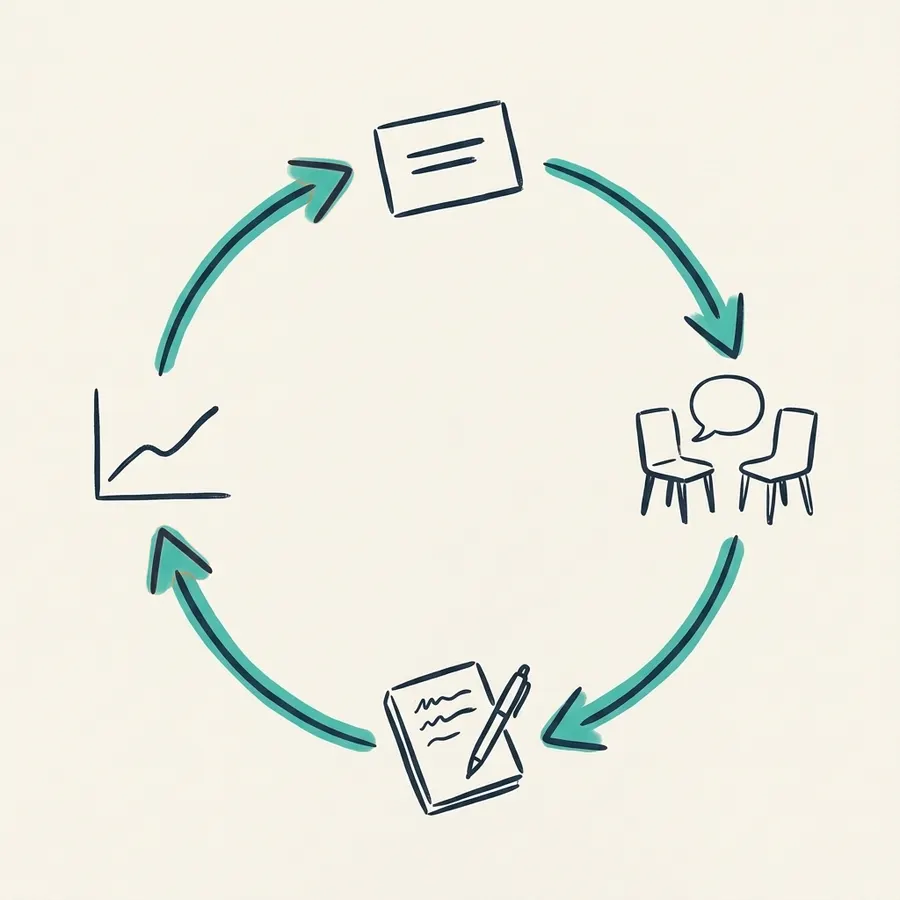
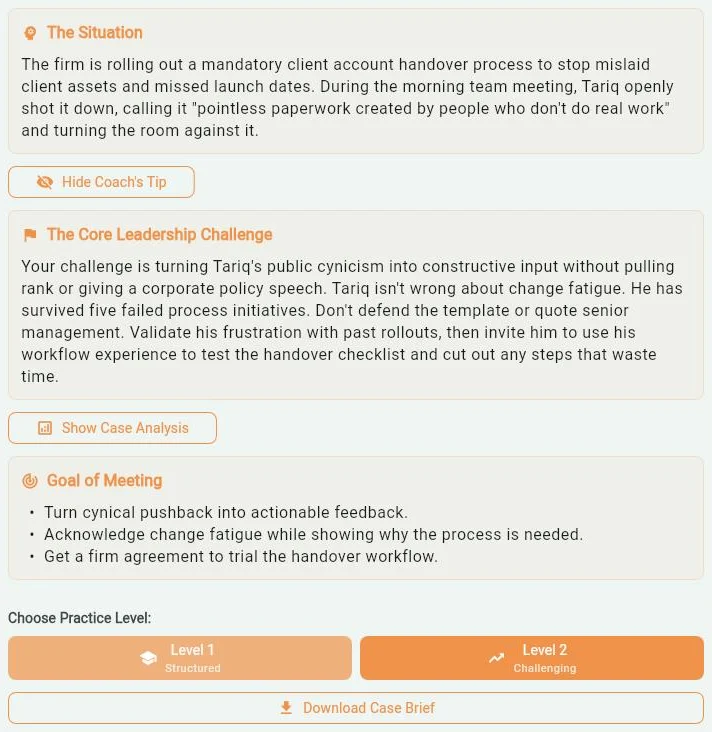
1Choose a situation
Start with the conversation you have in mind
The Playbook is a library of workplace situations, grouped into themes such as Managing Up, Managing Down, Managing Across and Difficult Conversations. Each case tells you who you are talking to, the company, what has happened and what the meeting is for.
Not sure where to begin? Describe what you're facing on the Find the Right Practice screen, and the app suggests a case.
Then pick a level. Level 1, Structured, is a good warm-up. At Level 2, Challenging, the other person has more going on.
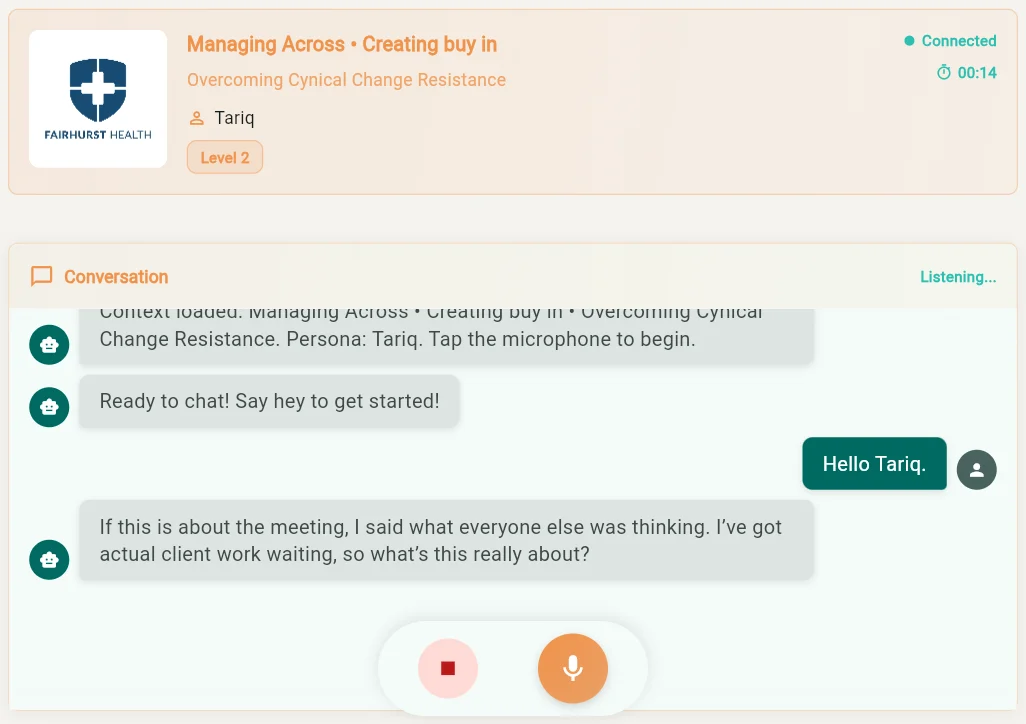
2Say it out loud
A spoken conversation, with an AI in the other chair
You talk, out loud. The AI plays the person in the case and answers the way they might, including pushing back when your point doesn't land.
The people in the cases are fictional, and so is the company, unless your organisation has added its own. You can practise in English or Dutch.
When you've said what you wanted to say, end the conversation and ask for your review.
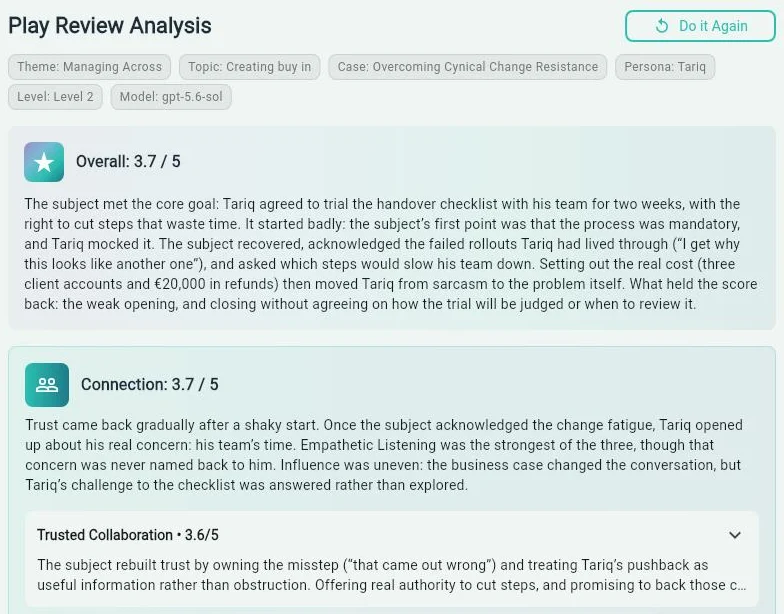
3See how it went
Written feedback on what you said
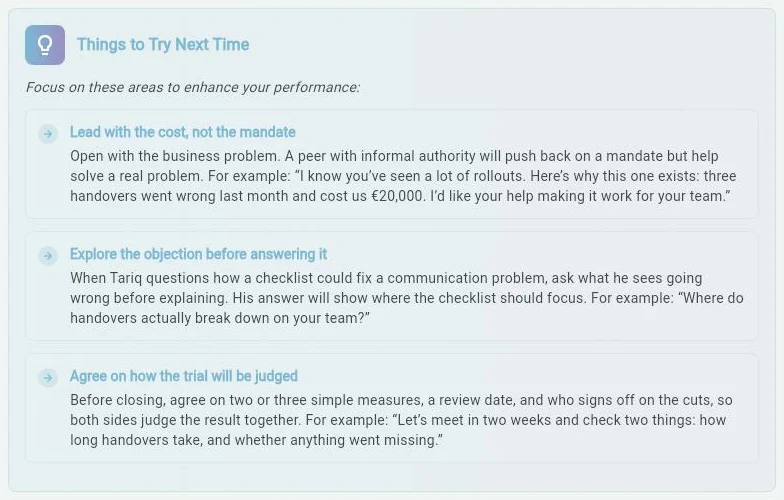
After your conversation, you get a Play Review. It gives an overall score, a score and a reason for each skill the conversation touched, and things to try next time. It reads your words, not your tone of voice, face or body language. A section called Yourself in Their Shoes looks at the same conversation from the other person's side.
You choose how much detail you want: Concise, Balanced or In depth. On Practice Complete, the €25 plan, you can also ask follow-up questions about your feedback.
4Track your progress
Your scores, session after session
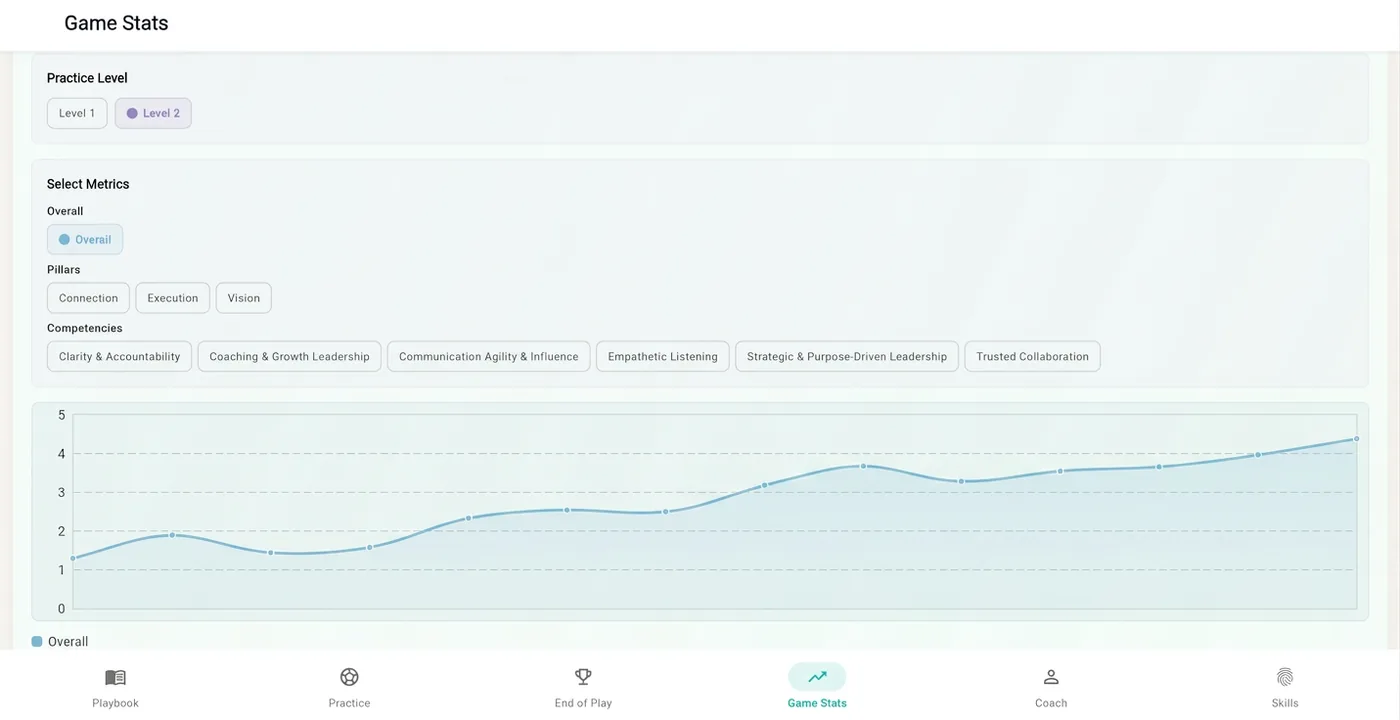
Game Stats charts your scores, out of 5, across your sessions. By default, every review uses the same six leadership skills, or competencies, grouped into three pillars: Connection, Execution and Vision. Together they make up The Game Plan, the standard every review is measured against. You can follow your overall score, or one pillar or skill at a time.
5See how you lead
Your Skill Signature
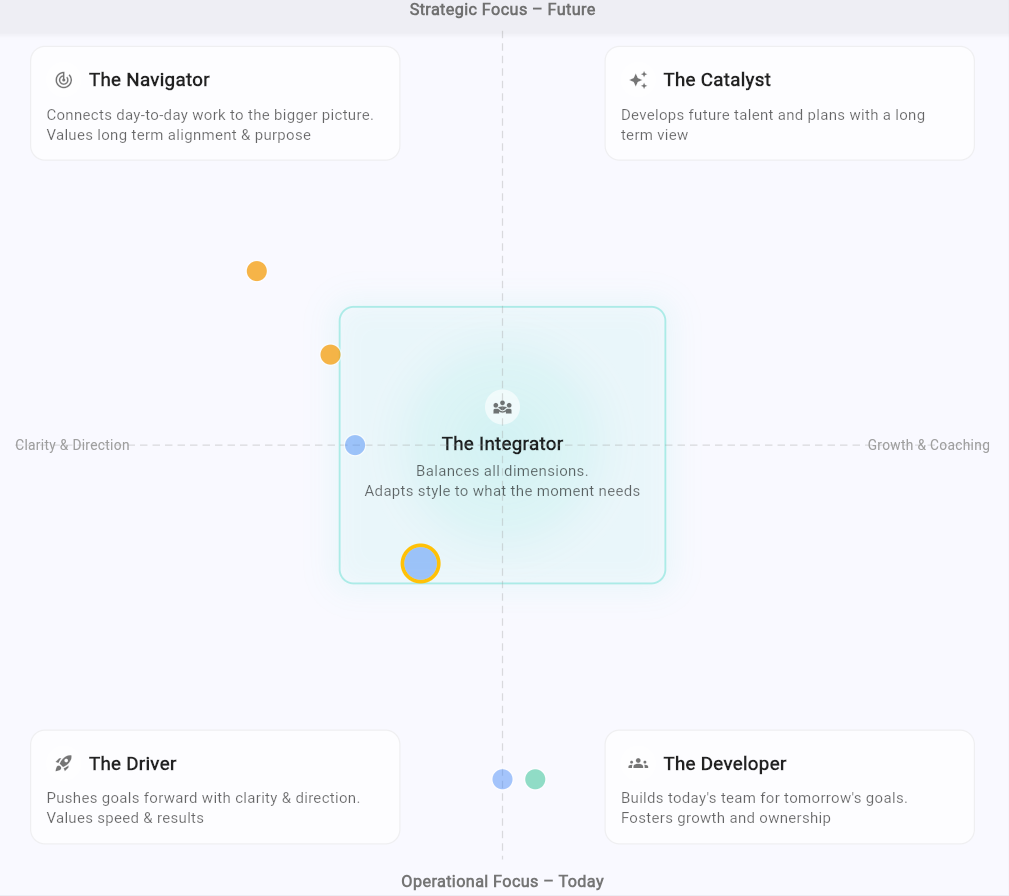
After several sessions, your Skill Signature, a map of how you lead, places you among five leadership profiles: the Driver, the Developer, the Navigator, the Catalyst, and the Integrator in the centre. The map runs two ways: from clarity and direction to growth and coaching, and from today's work to the future.
Your Skill Signature comes from what you did in practice, not from a questionnaire, and it moves as you do. Knowledge Articles, short articles in the app, then help you work on each skill.
6If your organisation gives you a plan
What your organisation sees
The Front Office is the organisation's side of the app, used by the people who look after learning. It has three parts.
Team Stats
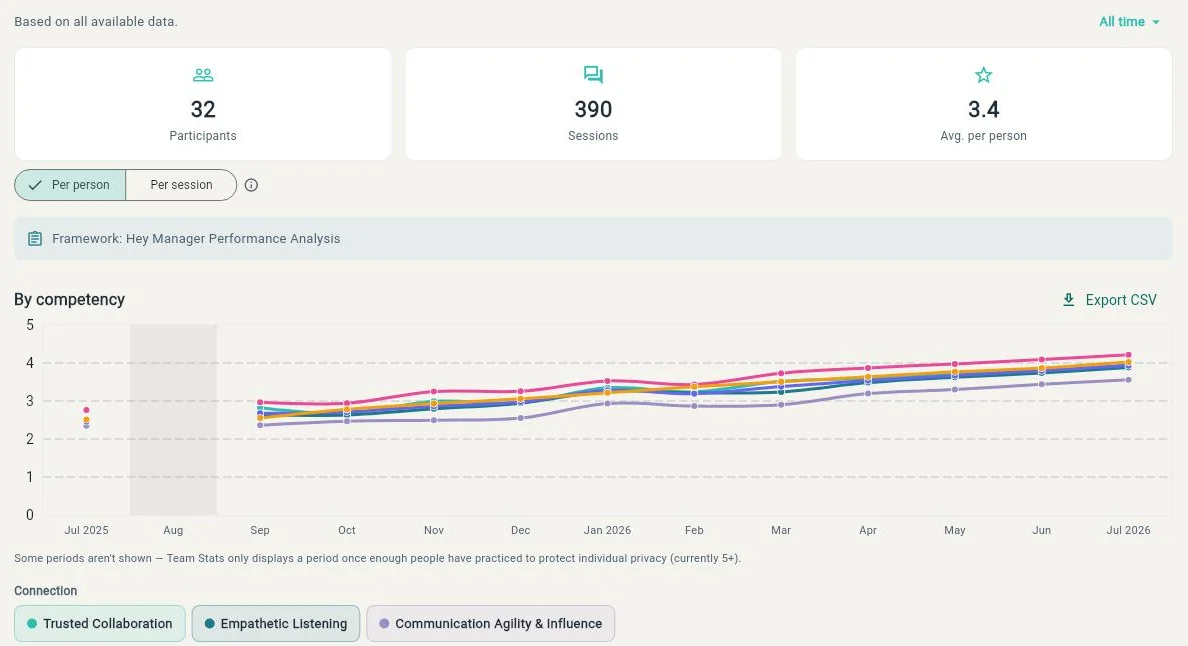
How the group is doing on each competency over time. Team Stats only appears once at least five people have practised over at least seven days, and it shows the group, not individuals.
Training Log
Who has completed which cases and articles. What anyone said, and any score with their name on it, stays with them.
Clubhouse
The app's page for your company: its name, sector, profile, vision, mission, core values and logo, so cases take place in your organisation instead of a made-up one. The values appear on every case sheet.
Questions people ask
- Who sees my practice?
- On a personal plan, only you, unless you choose to share a session with a coach. If your organisation gives you a plan, it sees Team Stats for the group and a log of what you have completed. It does not see what you said, or any score with your name on it.
- Which languages?
- English and Dutch.
- What does HeyManager cost?
- Practice Essentials is €10 and Practice Complete is €25, per person per month, VAT included. See the plans.
- Is there a person I can talk to?
- Yes, on request. We are opening one-to-one sessions with a human coach to a first group, separate from the monthly plans. Write to coaching@heymanager.io.
Start with a conversation you know
Choose a plan, pick a situation you know, say it out loud, and read what comes back.
Practise a conversation